Readonly Expression
Description
Dynamically control the read-only state of a Button List control using a client-side expression.
The Button List control now includes a Readonly expression property. This property allows you to specify a client-side expression that evaluates to true or false. When the expression is true, the Button List becomes read-only, preventing user interaction.
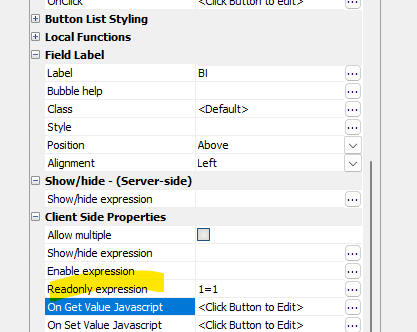
Button List Readonly expression property
Usage
Select the Button List control in the UX Builder.
In the Properties pane, scroll to the Client-side Properties section.
Enter your logical expression in the Readonly expression property.
data.isLocked == true